How to Embed a Live League Table on Your Website or Facebook Group
Add a live, self-updating league table to your club website with one embed code, and the right way to share it on Facebook, where iframes don't work.
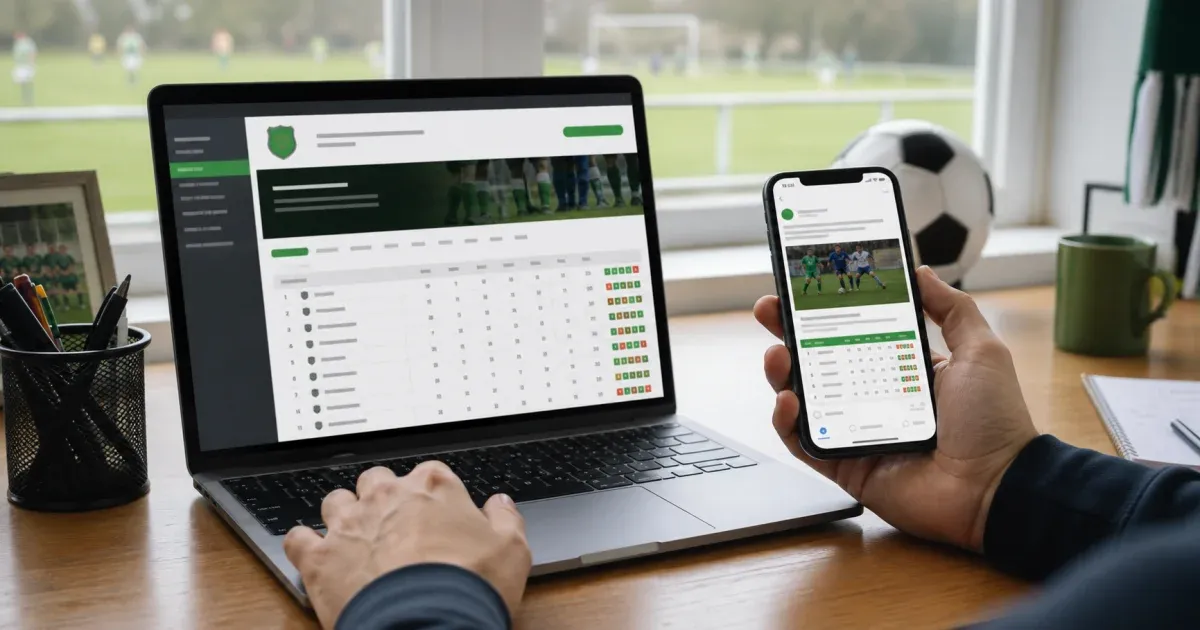
Someone on the committee updates the table in a spreadsheet after every matchday, screenshots it, and posts it to the club's Facebook group and website. It works, until a match gets rescheduled, the screenshot's already out of date, and three people ask "is this the latest one?" in the comments.
The fix looks the same for both, a live table instead of a picture of one, but the actual mechanics are different for a website and for Facebook, and treating them the same way is where this usually goes wrong.
The short answer
For a website, Fixture.cc gives you an embed code: a small snippet you paste into any page that accepts HTML, and it shows your live fixtures and standings, updating on its own as results come in. For Facebook, that same snippet won't work inside a post or a group, Facebook strips embedded iframes out of user content, so the practical approach there is to share or pin the plain public link instead. It's the same live page either way; only the delivery method changes.
Why a screenshot never quite stays current
A table posted as an image is accurate for exactly as long as it takes for the next result to come in.
- It's already stale by the next matchday. Every update means someone has to remember to repost it, and "remember to repost it" is the step that quietly stops happening a few weeks into the season.
- It depends on one person's phone. If whoever normally posts the update is away, the table just doesn't move that week.
- Comment threads fork. Post the same table twice with a correction in between, and now there are two versions circulating with people replying to the wrong one.
- It doesn't work for anyone checking later. A member who missed last week's post has no current table to look at, only whatever screenshot happened to be posted most recently.
A live source fixes all of that in one step, because there's only ever one version, and it updates itself.
Embedding on a website
Every Fixture.cc competition includes an embed widget, available from the competition's public page or the Embed & TV tab in the admin settings. It gives you two things:
- A responsive embed snippet, a small block of HTML containing an iframe that you paste into any page that accepts custom HTML, a WordPress HTML block, a Squarespace code block, a Wix embed, a Google Sites embed, or a plain HTML page.
- A direct link, the same live page as a plain URL, for anywhere that doesn't accept embedded code at all.
The embed picks up a light, dark, or system theme, so it can match a page's existing colour scheme rather than sitting on it as a mismatched white box. It updates on its own as results are entered, so once it's placed, there's nothing left to maintain: no re-copying the code, no re-pasting a new screenshot, no separate "latest update" post.
The widget includes a small "Powered by Fixture.cc" line beneath it, and it only works for competitions that are public. A private competition's embed link shows a private-competition notice instead of the table, the same as opening its public page directly without the access code.
Sharing to a Facebook group
Paste that same iframe snippet into a Facebook post or a group description and it won't render. Facebook (like most social platforms) strips embedded iframes and scripts out of user-submitted content; only a small allowlist of specific integrations, mainly YouTube and a few others, get real embedded players inside a post.
That doesn't mean Facebook is stuck with screenshots, it means the workflow there is a link, not a code snippet. Copy the plain public link from the embed widget's URL tab (or straight from your browser's address bar on the competition's public page) and:
- pin it to the top of the group, or add it to the group description, so it's always the first thing a new or returning member sees;
- post it once at the start of the season rather than reposting it after every result; and
- repost it only when you want to draw attention to something, a big result, the run-in to the final round, not as the only way anyone finds the current table.
Because it's the actual live page, not a snapshot, it's exactly as current the tenth time someone clicks it as the first. Nobody needs to ask which version is the latest one; there's only ever one page, and it's always showing the current result.
A concrete example
A Sunday five-a-side league runs its fixtures and table through Fixture.cc. The committee adds the responsive embed snippet to a "Standings" page on the club's WordPress site using the built-in HTML block, set to match the site's light theme. For their 200-member Facebook group, they skip the embed code entirely, copy the plain public link, and pin it to the top of the group with a short description. After every match, the organiser enters the result once from the admin page; the website table and the pinned Facebook link both show it immediately, without anyone reposting anything.
Before you set this up
- The platform needs to accept custom HTML for the embed code to work. If a website builder doesn't offer an HTML or code block, use the plain link instead of the iframe snippet.
- The competition has to be public. A private competition won't display through the embed widget or the public link for anyone without the access code.
- The embed is fixtures and standings, not a full admin view. Anyone viewing the embed sees exactly what a visitor to the public page would see; entering or editing results still happens from the admin page.
Frequently asked questions
Can I embed a live table directly inside a Facebook post or group?
No. Facebook removes embedded iframes and scripts from posts and group content, so the embed code won't render there. Share the plain public link instead; it points to the same live page and updates the same way.
Does the embedded table update automatically?
Yes. The embed shows the same live data as the competition's public page and updates as results are entered, without needing to re-copy or refresh the code.
Will the embed match my website's colour scheme?
You can set it to light, dark, or system, which follows the visitor's device automatically. Choose whichever keeps it consistent with the rest of the page.
Can I embed a private competition?
No. The embed and the public link both show the same public data, so a private competition displays a private-competition notice instead of the table.
Is there a cost to use the embed widget?
No. Every Fixture.cc competition includes the embed widget at no cost, with no account required.
If your table's still living in screenshots, create a free competition, enter your results as they come in, and grab the embed code or public link once your fixtures are up.
Our editorial process
How we research and review our content
Our research process depends on the subject. We select the sources that can answer the article's actual question, cross-check important claims, and distinguish documented facts from editorial judgement.
- Practical context and direct experience
- We draw on our team's experience of sports, equipment, and organising competitions when it is relevant. Direct use informs our judgement only where it actually occurred; we do not present research as hands-on testing.
- Primary and authoritative sources
- Depending on the topic, we consult governing-body rules, official guidance, manufacturer specifications and manuals, standards, technical documentation, and other first-party sources.
- Independent and public evidence
- For comparisons and recommendations, we may examine specialist reviews, public customer feedback, retailer information, ratings, and recurring real-world issues. We cross-check patterns and never treat one comment or score as proof.
- Editorial review and updates
- We compare the available evidence with the reader's likely needs, explain uncertainty and trade-offs, verify important claims, and update content when rules, products, features, or source information change.
Share this article
Send this guide to someone who might find it useful.

About the author
Fixture.cc editorial team
The Fixture.cc editorial team is a global group of sports enthusiasts creating practical, trustworthy guides for sports fans, competition organisers, coaches, and teachers.
View editorial profileKeep reading
Related articles

How to Run a Class Tournament in 45 Minutes
Fit a fair class tournament into a single lesson by working from real playing minutes, not the timetable, and picking a format that matches your courts.
How to Open Online Registration for Your League or Tournament
Set up an online registration form for your league or tournament so teams sign up themselves, get automatic confirmation, and land straight in your fixtures.
How to Display Live Scores on a TV or Projector at Your Venue
Turn any TV, monitor or projector into a live, auto-updating scoreboard for your tournament or league, with no extra hardware or app to install.