How to Open Online Registration for Your League or Tournament
Set up an online registration form for your league or tournament so teams sign up themselves, get automatic confirmation, and land straight in your fixtures.
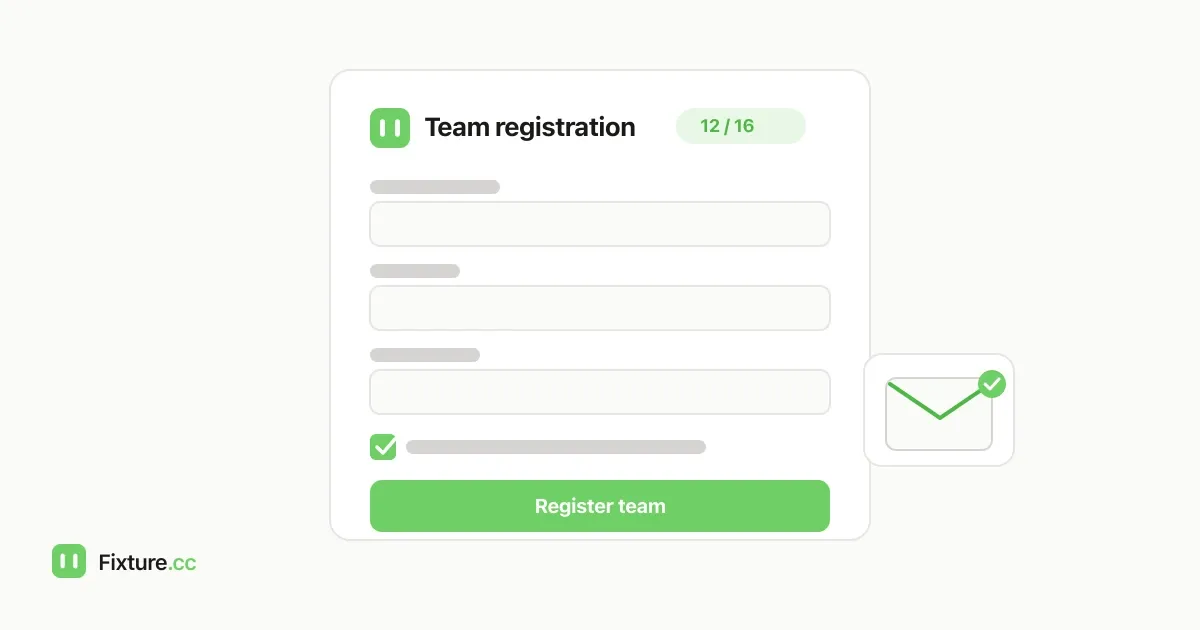
Most organisers start collecting entries the same way: a Google Form, a group chat, or an email address in a poster, feeding into a spreadsheet nobody else can see. It works until entry twelve arrives with a team name that's almost identical to entry four, someone's email address has a typo, and you're now manually copying names into your fixtures the night before the draw.
The fix is a registration form that lives on your competition page itself: teams fill it in, you get notified the moment they do, they get an automatic confirmation, and a confirmed entry becomes a team in your fixtures without you retyping a single name.
This guide covers why a form-plus-spreadsheet combination falls apart at scale, what an online tournament registration workflow actually needs to handle, and how to set it up with Fixture.cc's built-in registration feature.
Why a separate form and spreadsheet fall apart
A generic form builder can collect answers, but it doesn't know anything about your competition. That gap is where the manual work creeps back in:
- Nothing stops a duplicate or an overfull field. A form has no idea you've already got sixteen teams, or that "The Wanderers" and "Wanderers FC" are probably the same side registering twice.
- Confirmation is manual. If you want registrants to know their entry was received, someone has to email each of them, one at a time.
- You find out about new entries when you check. Unless you've wired up separate notification tooling, a new submission just sits in a spreadsheet until you happen to open it.
- Getting teams into the actual schedule is a second, separate job. Every confirmed entry still has to be typed into whatever is generating your fixtures, which is exactly the kind of manual transcription that introduces typos in team names.
- Deadlines and caps are just a note in the form description. Nothing stops an entry landing after the cut-off or after the tournament is already full; you only find out when you're reconciling the list.
What an online registration workflow actually needs
Strip away the specific tool and the requirements are consistent for almost any league or tournament:
- one link teams or players can use to register themselves, without you touching a spreadsheet;
- fields that match what you actually need for the sport, a team name, player names, contact details, plus anything specific to your event;
- an automatic confirmation so registrants know their entry went through;
- a way for you to be notified the moment someone signs up, not just when you check;
- an enforced deadline and, if you're capping numbers, an enforced maximum, not just a note in the description; and
- a path from "confirmed registration" to "team in the fixtures" that doesn't involve retyping anything.
How Fixture.cc's registration feature works
Registration lives in your competition's admin settings, alongside the fixtures and standings, so there's nothing separate to link up afterwards.
- Turn it on and set a notification address. Enabling registration asks for one notification email (and which of the four supported languages it should arrive in), so you hear about every new sign-up as it happens, separately from your own organiser contact address.
- Build the form around two required fields, plus whatever else you need. Every form starts with a team or player name field and an email field, both mandatory and both built in. On top of those, you can add custom fields, text, phone, a dropdown, a checkbox, a number, or a longer text box, and mark any of them as required.
- Set a status, a deadline and a cap. Registration can be open, closed, or full. Add an optional closing date and Fixture.cc stops accepting entries after it automatically, and add an optional maximum number of participants and the form flips itself to "Full" the moment that number of confirmed entries is reached, showing registrants a live count of spots remaining until then.
- Add up to three info links. Rules documents, a WhatsApp group, a venue map, whatever registrants need alongside the form, shown as short labelled links rather than buried in the description text.
- Registrants get an automatic confirmation email, and every submission is checked against Turnstile bot protection and asks the registrant to accept your terms before it goes through. If someone changes their mind later, the confirmation email includes an unsubscribe link, separate from your own organiser notifications.
- Review entries from one list. Each registration arrives as pending, and you can confirm, reject or waitlist it. The list flags likely duplicate team names so near-identical entries don't slip through unnoticed, and it also blocks a new entry outright if the name already matches a team already in your competition.
- Turn a confirmed entry into a team with one click, individually or in bulk for several at once, without retyping the name into your fixtures separately.
- Export the full list to CSV whenever you need it outside the admin panel.
A concrete example
Say you're running a 16-team five-a-side tournament and want entries closed two weeks before the draw. You turn on registration, set the maximum to 16, set the deadline, and add a field asking for a contact phone number alongside the built-in team name and email fields. You add a link to the venue's parking information. As entries come in, you get an email for each one; you confirm the legitimate ones and reject a duplicate the list flagged for you. Once you've got sixteen confirmed teams, the form switches to "Full" on its own, no one else can submit, and you select all sixteen confirmed entries and add them to your fixtures in one click, ready to generate the draw.
Things worth knowing before you open registration
- It doesn't take payments. The form collects information, not entry fees. If you charge to enter, you'll still need to collect and reconcile that separately.
- Three info links is the limit. For anything longer, like a full rulebook, link out to where it's hosted rather than trying to fit it in the form.
- The notification email is separate from your organiser contact address. It's specifically for new-registration alerts, so you can point it at whoever actually processes sign-ups if that's not you.
Frequently asked questions
Is there a cost to accept tournament registrations online?
No. Registration is a free part of any Fixture.cc competition, with no account required to set it up.
Can I limit how many teams or players can register?
Yes. Set a maximum number of participants and the form automatically switches to "Full" once that many registrations are confirmed, showing a live count of remaining spots before then.
Can registration close automatically after a deadline?
Yes. Set a closing date and new submissions are rejected after it passes, without you needing to switch anything off manually.
Do I have to manually add every registrant to my fixtures?
No. Confirmed registrations can be turned into teams individually or in bulk with one click, so you don't retype names that are already sitting in the registration list.
Does Fixture.cc collect entry fees through the registration form?
No. The form collects registrant details, not payments. If your event charges an entry fee, you'll need to collect that separately.
If you're setting this up for the first time, create a free competition, open the registration tab in your admin settings, and you'll have a working sign-up link before you send out the first invite.
Our editorial process
How we research and review our content
Our research process depends on the subject. We select the sources that can answer the article's actual question, cross-check important claims, and distinguish documented facts from editorial judgement.
- Practical context and direct experience
- We draw on our team's experience of sports, equipment, and organising competitions when it is relevant. Direct use informs our judgement only where it actually occurred; we do not present research as hands-on testing.
- Primary and authoritative sources
- Depending on the topic, we consult governing-body rules, official guidance, manufacturer specifications and manuals, standards, technical documentation, and other first-party sources.
- Independent and public evidence
- For comparisons and recommendations, we may examine specialist reviews, public customer feedback, retailer information, ratings, and recurring real-world issues. We cross-check patterns and never treat one comment or score as proof.
- Editorial review and updates
- We compare the available evidence with the reader's likely needs, explain uncertainty and trade-offs, verify important claims, and update content when rules, products, features, or source information change.
Share this article
Send this guide to someone who might find it useful.

About the author
Fixture.cc editorial team
The Fixture.cc editorial team is a global group of sports enthusiasts creating practical, trustworthy guides for sports fans, competition organisers, coaches, and teachers.
View editorial profileKeep reading
Related articles

How to Embed a Live League Table on Your Website or Facebook Group
Add a live, self-updating league table to your club website with one embed code, and the right way to share it on Facebook, where iframes don't work.

How to Run a Class Tournament in 45 Minutes
Fit a fair class tournament into a single lesson by working from real playing minutes, not the timetable, and picking a format that matches your courts.
How to Display Live Scores on a TV or Projector at Your Venue
Turn any TV, monitor or projector into a live, auto-updating scoreboard for your tournament or league, with no extra hardware or app to install.