Best Free Football Tournament Software in 2026: 5 Tools Compared
Compare five genuinely free football tournament tools by format support, scheduling, match limits, registrations, live results and the events each one handles best.
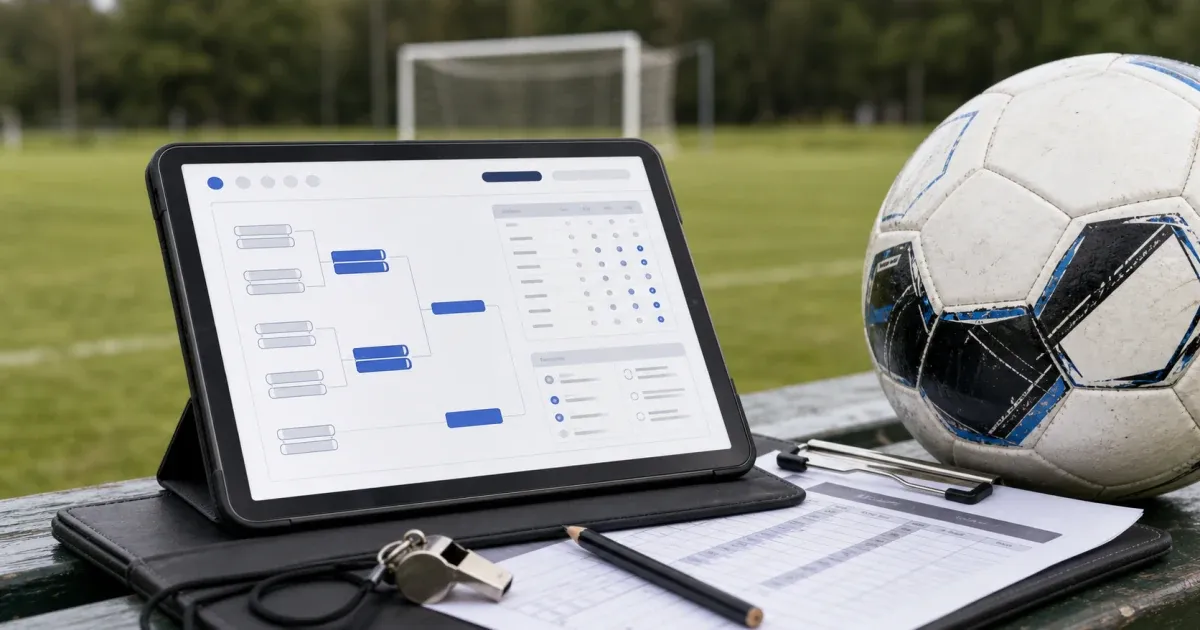
The best free football tournament software is not necessarily the tool with the longest feature list. It is the one that removes the most difficult part of your particular competition.
For some organisers, that means creating a league table and sending one reliable link to every team. For others, it means fitting 28 matches across three pitches without giving one team five minutes of rest and another team an hour. A club may need registrations and payments, while a 64-team cup may simply need a dependable bracket.
For most straightforward football leagues, cups and group-stage tournaments, Fixture.cc is the strongest starting point. It is free, does not require an account and covers the formats most grassroots organisers use. Tournify is particularly good for an event with eight teams or fewer where pitches, match durations and referees must be organised. Challonge provides generous free capacity for large brackets. Playpass makes more sense when registrations and payments are part of the job. LeagueLobster is worth considering when the timetable itself needs careful examination.
Fixture.cc publishes this guide. To keep the comparison useful, the recommendations below are based on concrete organiser scenarios and the free-plan limits published by each provider in July 2026.
Best free football tournament software at a glance
- Fixture.cc: best suited to leagues, cups, Swiss tournaments and groups followed by knockout. Competitions are free without a paid tier or account. Choose it for fast setup, broad format support and a shareable live competition page.
- Tournify: best suited to small tournament days requiring detailed pitch planning. The free allowance covers up to eight teams or players per tournament, and an account is required. Choose it for fields, match durations, breaks, referees and live event presentation.
- Challonge: best suited to large brackets and format-heavy competitions. The free allowance covers up to 256 participants per tournament, and an account is required. Choose it for generous bracket capacity and a mature range of tournament structures.
- Playpass: best suited to clubs combining schedules with registrations and payments. The free allowance includes one live schedule and one manager, and an account is required. Choose it for scheduling and club administration in the same system.
- LeagueLobster: best suited to schedule-first leagues that fit within the Lite allowance. The free tier covers up to 50 games in the upcoming 30 days, and an account is required. Choose it for schedule generation, balance checking and manual timetable adjustment.
All five provide a permanent free route rather than a trial that expires after a few days. However, they measure their limits differently.
Tournify counts participants. Challonge limits participants per tournament. Playpass limits simultaneously live schedules and managers. LeagueLobster counts games falling inside the upcoming 30-day period. Fixture.cc takes a simpler free-without-an-account approach.
That distinction matters more than it first appears.
Calculate your match count before choosing software
A common organising mistake is looking only at the number of teams. The real workload is determined by the number of matches those teams create.
For a single round-robin league, where every team plays every other team once:
Matches = teams × (teams − 1) ÷ 2
For a double round-robin, where every team plays each opponent twice:
Matches = teams × (teams − 1)
For a single-elimination cup:
Matches = teams − 1
This produces some useful reference points:
| Format | Teams | Total matches |
|---|---|---|
| Single round-robin | 6 | 15 |
| Double round-robin | 6 | 30 |
| Single round-robin | 8 | 28 |
| Double round-robin | 8 | 56 |
| Single round-robin | 10 | 45 |
| Double round-robin | 10 | 90 |
| Single-elimination cup | 16 | 15 |
| Single-elimination cup | 32 | 31 |
| Single-elimination cup | 64 | 63 |
Group stages add another layer.
A tournament with four groups of four teams creates six matches per group, or 24 group matches in total. If the top two teams from each group progress to quarterfinals, the knockout stage adds seven more matches. The complete tournament therefore requires 31 matches, or 32 if a third-place playoff is included.
This calculation affects everything from software limits to pitch rental, referee requirements and the amount of rest teams receive.
What football organisers should check before committing
A bracket generator may be enough for a simple knockout cup. Most real football competitions need more than a bracket.
Before settling on software, check how it handles the following jobs.
Competition format
Confirm that the software supports the exact structure you intend to run:
- Single or double round-robin
- Single-elimination cup
- Double-elimination bracket
- Groups followed by knockout
- Swiss format
- Placement or consolation matches
Do not assume that two products describing themselves as tournament managers support the same advancement rules.
Match scheduling
There is a major difference between generating opponents and generating a complete matchday timetable.
A basic fixture generator may tell you that Team A plays Team B in round one. A tournament planner may also allocate that match to Pitch 2 at 10:20, allow a 10-minute changeover and prevent Team A from being scheduled again immediately.
Decide which problem you need the software to solve.
Standings and tie-breaks
Football tables normally include points, wins, draws, losses, goals scored, goals conceded and goal difference.
Your competition may also use:
- Head-to-head results
- Goals scored
- Fair-play points
- A penalty shootout
- A playoff match
- Drawing of lots
Test the actual tie-break order before the event. A table that looks correct after ordinary results can still produce the wrong qualifier when three teams finish level.
Publishing and live updates
The public page should work well on a phone and should not require every parent, player or coach to create an account.
During a tournament, people repeatedly ask the same questions:
- Who do we play next?
- Which pitch are we on?
- What time is the semifinal?
- What happens if we draw?
- Has the table been updated?
A single public page reduces those interruptions, but only if it is easy to open and kept current.
Organiser access
Consider who needs to enter results.
One organiser may be enough for a six-team social league. A larger tournament may need the tournament director, pitch coordinators and referees to submit scores.
Check whether the free plan supports multiple managers, delegated score entry or referee access.
Printing and offline backup
Mobile coverage, venue Wi-Fi and batteries have an unfortunate habit of failing at the busiest possible moment.
Print or export:
- The full match schedule
- Pitch allocations
- Team contact details
- Tournament rules
- Group tables
- Knockout progression
- Emergency contact numbers
Software should improve the event, not become a single point of failure.
1. Fixture.cc: best for creating and sharing a competition quickly
Fixture.cc is the easiest recommendation when the organiser wants to create a functioning competition without registering for another platform or learning a full club-management system.
You add the teams, choose the format and receive an organiser page together with a public competition page. Private access is handled through an access code rather than a conventional user account.
Fixture.cc supports:
- Single and double round-robin
- Single elimination
- Double elimination
- Group stage followed by knockout
- Swiss tournaments
That range covers most amateur football leagues, five-a-side competitions, school events, workplace tournaments, club cups and gaming competitions.
Once results are entered, the public standings or bracket update automatically. The organiser can also add team logos and competition branding, accept registrations, generate a QR code, embed the competition on another website and export a print-ready PDF.
The full-screen TV mode is particularly useful at venues with a clubhouse television, projector or information screen. Instead of printing a revised table after every round, the organiser can display the current fixtures and standings throughout the event.
Fixture.cc also works well when the competition is organised through WhatsApp or another group chat. Rather than repeatedly sending screenshots that become outdated, the organiser sends one public link that teams can reopen throughout the season or tournament.
Where Fixture.cc fits best
Fixture.cc is a strong choice for:
- A six-team five-a-side league
- A Sunday league with weekly matchdays
- A school football competition
- An office World Cup
- A club knockout cup
- A group stage followed by quarterfinals
- A Swiss-format football or gaming tournament
- An event requiring printable fixtures and a live public page
Its focused competition workflow is also an advantage when you do not need a larger system for memberships, facility bookings, waivers and club accounting. There is less setup between having a list of teams and having a competition ready to share.
An organiser’s practical view
For a typical grassroots event, speed matters more than people expect.
The organiser is often doing several jobs at once: collecting team names, confirming the pitch, answering questions, finding referees and correcting last-minute withdrawals. Software that requires a long configuration process may technically provide more options while making the event harder to launch.
Fixture.cc performs well in this situation because the essential workflow remains short:
- Add the teams.
- Select the format.
- Generate the competition.
- Share the public page.
- Enter results as matches finish.
Choose Fixture.cc when: you need a league, bracket, Swiss event or group-to-knockout competition that can be created quickly and followed from one live public page.
2. Tournify: best for a carefully scheduled eight-team tournament
Tournify is built around the complete tournament-day experience rather than fixture generation alone.
Its free plan supports tournaments with up to eight teams or players. Organisers can create multiple free tournaments, but an individual event exceeding eight participants requires a paid single-event upgrade or an appropriate subscription.
Within that boundary, Tournify provides a strong set of planning tools.
Organisers can:
- Create divisions and groups
- Add playing fields
- Set match durations
- Include buffer time
- Plan matches automatically
- Move matches using drag and drop
- Add lunch breaks and ceremonies
- Assign referees
- Publish schedules, tables and brackets
- Enter and display live results
This makes Tournify particularly suitable for a compact youth tournament or five-a-side day where the timetable is more difficult than the competition structure.
Imagine an eight-team event with two groups of four. The group stage contains 12 matches. Semifinals, classification games and a final may bring the total to 18 or 20 matches, depending on the structure.
With two pitches and 15-minute matches, careless scheduling can easily give a team back-to-back games or leave one pitch unused during a busy period. Tournify’s field-based planning interface is valuable in that situation.
The free-plan boundary
The eight-team limit is clear and should be treated as a firm planning boundary.
Do not build an eight-team tournament and assume that a ninth late entry can simply be added without changing the plan. If expansion is possible, decide before opening registration whether the paid event upgrade is acceptable.
Some presentation and branding capabilities are also associated with Tournify’s paid options, including publishing through its mobile app. The event website remains the more relevant public channel when working within the free route.
Where Tournify fits best
Tournify is a strong choice for:
- An eight-team junior tournament
- A one-day five-a-side competition
- An event using several pitches
- A tournament requiring referee assignments
- An event with breaks, ceremonies or several divisions
- An organiser who wants a visual schedule planner
Choose Tournify when: the competition has no more than eight teams and carefully allocating pitches, times and referees is the central challenge.
3. Challonge: best for a large free bracket
Challonge has one of the most generous participant allowances among established free tournament platforms.
Its Standard plan is free, supported by advertising and allows unlimited tournaments with up to 256 participants in each tournament.
Supported structures include:
- Single elimination
- Double elimination
- Round-robin
- Swiss
- Two-stage competitions
- Leaderboards
- Free-for-all formats
Its two-stage system can, for example, run separate round-robin groups before progressing qualifiers into a single-elimination final bracket.
Challonge’s bracket system has been used across competitive gaming, tabletop events and sports. That broad background is visible in the product. Seeding, bracket progression and participant capacity are central strengths, while the terminology and workflow are not as specifically shaped around grassroots football administration.
For a large knockout cup, this may not matter. If the main job is taking 64 entrants from the opening round to a final, Challonge provides plenty of free capacity.
For a conventional football league, however, the organiser should test whether its standings, public presentation and match-scheduling workflow match the way the league operates.
Where Challonge fits best
Challonge is a strong option for:
- A 32-team or 64-team knockout
- A large charity cup
- An EA Sports FC tournament
- A competition needing double elimination
- An event requiring a two-stage structure
- Organisers already familiar with bracket platforms
Its free public experience includes advertising. Removing advertisements and accessing other presentation options requires a paid plan.
An important football distinction
A strong bracket system is not automatically a strong field scheduler.
Challonge can manage who plays whom and who advances, but organisers running simultaneous football pitches should separately confirm how they will allocate fields, kick-off times, referees and recovery periods.
For a digital gaming competition, a station can become available as soon as the previous match ends. Football pitches usually operate on fixed time slots, and teams cannot safely play continuously without appropriate rest.
Choose Challonge when: participant capacity and bracket progression are more important than having a football-specific competition interface.
4. Playpass: best when registrations and payments matter as much as fixtures
Playpass covers a broader administrative area than most fixture generators.
Alongside its schedule maker, it provides tools for:
- Player and team registration
- Online payments
- Memberships
- Waivers
- Facility bookings
- Club communications
- Sports websites
Its free plan includes one live schedule and one manager.
The schedule maker supports round-robin leagues, practice schedules, single, double and triple elimination, Swiss tournaments and playoffs attached to league schedules. Organisers can add dates, fields, times and scores, then publish standings online.
The important phrase in the free plan is one live schedule.
A club can create a useful public programme for one league or tournament, but an organisation running several age groups at the same time may need more live schedules. Likewise, a second organiser who requires management access pushes beyond the free allowance of one manager.
Registrations and payment fees
Playpass becomes particularly relevant when teams or players must register and pay before participating.
The Free plan lists a 3% Playpass payment fee. This is separate from Stripe’s payment-processing charge, although organisers may have options around how card-processing costs are handled.
That does not make Playpass unsuitable. Processing fees can be a reasonable exchange for avoiding paper forms, bank-transfer reconciliation and manual payment tracking. They simply need to be included in the registration price from the beginning.
For example, if a club expects 80 registrations, the organiser should estimate the complete payment cost before advertising the final entry fee. Discovering the platform and processing deductions after registrations open creates unnecessary accounting problems.
Where Playpass fits best
Playpass is a good fit for:
- One active club league
- A paid tournament
- A training programme requiring registrations
- A club that wants schedules and waivers together
- An organiser accepting instalment payments
- A programme with one principal administrator
It may be more system than necessary when all you need is a quick six-team fixture list. Its value appears when the schedule is only one part of the administrative workload.
Choose Playpass when: registrations, waivers or payments are driving the software decision and one live schedule is enough.
5. LeagueLobster: best for testing a schedule-first workflow
LeagueLobster approaches the problem from the scheduling side.
Its free Lite publication option covers up to 50 games in the upcoming 30 days and displays advertisements. Games are counted across the organiser’s published schedules rather than per individual team.
That calculation deserves attention.
A 10-team single round-robin contains 45 matches. If all 45 fall inside the same upcoming 30-day period, the competition remains within the published Lite allowance.
An 11-team single round-robin contains 55 matches and exceeds it.
A 10-team double round-robin contains 90 matches. Whether the free allowance is sufficient then depends on how those matches are distributed across the calendar and which matches fall in each upcoming 30-day window.
LeagueLobster also provides a schedule checker that helps organisers review:
- How often teams face each opponent
- The distribution of venues
- The distribution of kick-off times
- Games per week
- Home and away balance
This is useful because a mathematically complete fixture list is not always a fair fixture list. One team may receive every early kick-off, another may repeatedly travel to the same venue and a third may play far more home games during the first half of the season.
Understand the Lite and Pro distinction
LeagueLobster lets organisers explore its scheduling interface before publication, but the free published schedule uses the Lite feature set.
Its more advanced constraint tools, such as detailed team requests, coach conflicts, minimum or maximum rest, varying weekly slots and more sophisticated time-balancing options, are identified as Pro features.
That means LeagueLobster should not be described as offering every advanced scheduling constraint for free. The free route is most useful when its standard scheduler, schedule checker and manual adjustments are sufficient.
Where LeagueLobster fits best
LeagueLobster is worth considering for:
- A league with fewer than 50 upcoming games
- An organiser who wants to inspect schedule balance
- A competition with defined weeks, times and venues
- A schedule likely to require manual adjustments
- An organiser considering a later move to advanced paid scheduling
Choose LeagueLobster when: timetable quality is the main concern, the free match allowance fits your calendar and the Lite scheduling controls cover your requirements.
Which software should you use for your tournament?
The easiest way to choose is to identify the part of the event most likely to create administrative trouble.
Six-team pub or five-a-side league
A single round-robin creates 15 matches. A double round-robin creates 30.
Use Fixture.cc when you want to generate the matches, publish a table, enter results and give the players one link without setting up accounts.
This is usually enough for a social league where pitch bookings are arranged separately.
Eight-team youth tournament using two pitches
Use Tournify when the event requires precise match durations, pitch assignments, referee allocation and breaks between phases.
Use Fixture.cc when the schedule is straightforward and the priority is getting a group stage, knockout bracket, printable PDF and live public page running with as little setup as possible.
The deciding factor is not the team count alone. It is whether resource scheduling or competition management is the harder job.
Sixteen-team groups followed by knockout
Four groups of four followed by quarterfinals produce 31 matches without a third-place playoff.
Fixture.cc is the natural starting point when you want one competition containing the group and knockout phases, with a public page and no account requirement.
Challonge is also capable of two-stage structures and may appeal to organisers who already use its tournament ecosystem.
Sixty-four-team straight knockout
A 64-team single-elimination tournament requires 63 matches.
Challonge is a strong free choice because its Standard plan supports up to 256 participants and is designed around large bracket progression.
Before using it for an in-person football tournament, create a separate plan for pitches, match slots and rest periods.
Club collecting entry fees for one active competition
Use Playpass when registration forms, waivers, payments and the public schedule need to sit within the same system.
Calculate the Playpass and payment-processor fees before publishing the entry price.
Ten-team league playing within one month
A single round-robin produces 45 matches, which fits inside LeagueLobster’s published allowance of 50 games in the upcoming 30 days.
A double round-robin produces 90, so the organiser needs to examine how the calendar affects the rolling count.
LeagueLobster is worth testing when reviewing venue, time and opponent balance is more important than launching immediately.
Tournament sharing one coach across several teams
This is a genuine scheduling constraint.
For example, a youth coach may manage both an under-11 and an under-13 team. Those teams cannot play simultaneously, even if they are in separate divisions.
Tournify’s event planning and referee tools are relevant here. LeagueLobster’s more advanced conflict and constraint features may also help, but organisers should check the required paid tier rather than assuming those controls are included in Lite.
A practical software test before opening registrations
Do not learn the software during the real tournament.
Create a small test competition that copies the real structure, then run through the following sequence.
1. Use the real number of teams
A four-team demonstration may work perfectly while the intended 18-team format produces unexpected byes, group sizes or free-plan restrictions.
Test with the actual number.
2. Generate the intended format
Do not settle for “roughly the same”.
If the real event uses four groups, quarterfinals, semifinals, a third-place match and a final, create that complete structure.
3. Enter several types of results
Test:
- A normal win
- A draw
- A high-scoring result
- A result correction
- A walkover, if supported
- A knockout match requiring a winner
Check how each result affects the table or bracket.
4. Force a tie in the table
Create results that leave two or three teams level on points.
Confirm that the correct teams qualify according to the written tournament rules. Never assume the default tie-break order matches your competition.
5. Open the public page privately
Use a private or incognito browser window.
This reveals whether spectators need an account, whether any organiser controls are accidentally exposed and whether the page makes sense to someone who has not seen the admin interface.
6. Test it on an ordinary phone
Do not test only on a large desktop monitor.
Stand beside the pitch, switch off Wi-Fi and see whether you can quickly:
- Find the next match
- Filter for a team
- Read the table
- Locate the pitch or time
- Return to the overall schedule
That is much closer to the real spectator experience.
7. Export and print the schedule
Check the page size, orientation and readability.
A PDF that looks polished on a laptop may produce text that is too small for a clubhouse noticeboard.
8. Simulate a team withdrawal
Teams withdraw. It may happen a week before the tournament or 20 minutes before the opening match.
Check whether you can remove the team, replace it or adjust the affected fixtures without destroying completed work.
When removal would alter too much, a replacement placeholder may be operationally safer than regenerating the entire competition.
9. Confirm organiser access and recovery
Understand how you will regain access if:
- The original device is lost
- Browser data is cleared
- The organiser becomes unavailable
- Another volunteer must enter scores
Store private access links or recovery details somewhere controlled by the organising team.
10. Keep a separate matchday pack
Your backup should contain:
- Final team list
- Team contacts
- Tournament rules
- Printed fixtures
- Pitch plan
- Referee assignments
- Emergency contacts
- A pen and blank result sheets
This may sound old-fashioned until a phone is dropped, a battery runs out or the venue network disappears.
Common mistakes when choosing tournament software
Choosing by team count instead of match count
Ten teams sounds small, but a double round-robin creates 90 matches.
Always calculate the full match total before checking free-plan limits or booking pitches.
Building the format before confirming available time
Organisers often choose a format first and only later realise that the event cannot physically accommodate the matches.
Calculate:
Available match slots = pitches × slots per pitch
If two pitches are available for six hours and each match slot lasts 20 minutes, the theoretical maximum is:
2 × 18 = 36 match slots
That number should still leave room for delays, breaks, ceremonies and any placement matches added later.
Giving teams insufficient rest
A timetable can be mathematically valid and still be unreasonable.
Avoid scheduling a team immediately after its previous match unless the event format, match length and competition rules make that acceptable. Youth events and hot-weather tournaments need particularly careful recovery planning.
Publishing screenshots instead of a live link
A screenshot becomes outdated after the first change.
Use a public page as the source of truth. Screenshots can still be useful for social posts, but they should not replace the current schedule.
Changing rules after the competition starts
Software can calculate only the rules it has been given.
Publish the points system, tie-break order, knockout procedure, walkover score and dispute process before the first match. Do not invent a solution after teams finish level.
Depending entirely on one organiser
The person who created the tournament may become unavailable.
Store access details securely, nominate a second responsible person and decide who has authority to correct results.
Overcomplicating a simple event
A six-team social league usually does not need a complete club-management suite.
Every additional configuration screen creates another place for mistakes. Choose the smallest tool that reliably handles the real requirements.
Frequently asked questions
Is there completely free football tournament software?
Yes. Fixture.cc is free without an account and includes multiple competition formats, public pages, live results, standings, registrations, PDF export and sharing tools.
Other products provide permanent free plans with specific boundaries. Tournify allows events with up to eight teams or players. Challonge Standard supports up to 256 participants and displays advertisements. Playpass allows one live schedule and one manager. LeagueLobster Lite publishes up to 50 games in the upcoming 30 days with advertisements.
What is the best free app for a small football tournament?
Use Fixture.cc when you want the fastest route from team names to a shareable league, cup or group-stage competition.
Use Tournify when the event has eight teams or fewer and requires detailed pitch, time, break and referee planning.
What is the best free football league table generator?
Fixture.cc is the most direct choice in this comparison for a conventional football league table. It combines round-robin fixtures, configurable points, score tracking, goal difference and live public standings without requiring an organiser account.
Can free tournament software create groups followed by knockout rounds?
Yes. Fixture.cc supports a group stage followed by knockout within one competition.
Challonge also provides two-stage tournament structures in which participants progress from an initial group format into a final stage.
Tournify supports multi-stage events with groups, knockout brackets, classification matches and consolation structures.
Always test the exact qualification and tie-break rules before publishing.
What is the best free software for scheduling pitches and referees?
Tournify is the strongest free option in this comparison for a tournament with no more than eight teams. It allows organisers to add fields, set match durations, create breaks, plan matches and assign referees.
For larger or more complicated constraint-based schedules, paid scheduling features may be necessary.
Can players view the fixtures without installing an app?
Yes. The tools in this comparison can publish schedules or tournament pages on the web.
Fixture.cc spectators do not need an account. With any platform, open the public link in a private browser before distributing it to make sure players see the intended public experience.
How many matches are in an eight-team football tournament?
It depends on the format.
- Single round-robin: 28 matches
- Double round-robin: 56 matches
- Single-elimination cup: 7 matches
- Two groups of four followed by semifinals and a final: 15 matches
- The same structure with placement matches: more than 15, depending on how many positions are decided
Calculate the match count before choosing the software or booking the venue.
Should I use tournament software or a spreadsheet?
A spreadsheet can be sufficient for a very small private event, particularly when only one person needs access.
Tournament software is more useful when you need automatic standings, bracket advancement, a public page, live result updates, registrations, PDF exports or repeated access throughout a season.
A spreadsheet can still be kept as an emergency backup.
Final verdict
There is no universal winner because these tools solve different organising problems.
For most amateur leagues, cups, Swiss tournaments and group-stage competitions, Fixture.cc is the best place to start. It combines broad format support with a genuinely low-friction workflow: no account, no subscription decision and no need to build a club-management environment before publishing fixtures.
Tournify is the stronger choice for an event with eight teams or fewer when field allocation, match duration, breaks and referees need careful coordination.
Challonge is especially useful for large free brackets and organisers who need generous participant capacity.
Playpass makes sense when registrations, waivers and payments are part of the same operational problem as the schedule.
LeagueLobster is worth testing when schedule balance is the difficult part and the competition fits within its free Lite publication limits.
The right software should reduce questions, reduce duplicated work and give everyone confidence that they are looking at the current schedule.
For the simplest route, create a free football competition with Fixture.cc. For a tournament that moves from mini-leagues into finals, use the dedicated group stage and knockout generator.
Our editorial process
How we research and review our content
Our research process depends on the subject. We select the sources that can answer the article's actual question, cross-check important claims, and distinguish documented facts from editorial judgement.
- Practical context and direct experience
- We draw on our team's experience of sports, equipment, and organising competitions when it is relevant. Direct use informs our judgement only where it actually occurred; we do not present research as hands-on testing.
- Primary and authoritative sources
- Depending on the topic, we consult governing-body rules, official guidance, manufacturer specifications and manuals, standards, technical documentation, and other first-party sources.
- Independent and public evidence
- For comparisons and recommendations, we may examine specialist reviews, public customer feedback, retailer information, ratings, and recurring real-world issues. We cross-check patterns and never treat one comment or score as proof.
- Editorial review and updates
- We compare the available evidence with the reader's likely needs, explain uncertainty and trade-offs, verify important claims, and update content when rules, products, features, or source information change.
Share this article
Send this guide to someone who might find it useful.

About the author
Fixture.cc editorial team
The Fixture.cc editorial team is a global group of sports enthusiasts creating practical, trustworthy guides for sports fans, competition organisers, coaches, and teachers.
View editorial profileKeep reading
Related articles
How to Embed a Live League Table on Your Website or Facebook Group
Add a live, self-updating league table to your club website with one embed code, and the right way to share it on Facebook, where iframes don't work.

How to Run a Class Tournament in 45 Minutes
Fit a fair class tournament into a single lesson by working from real playing minutes, not the timetable, and picking a format that matches your courts.
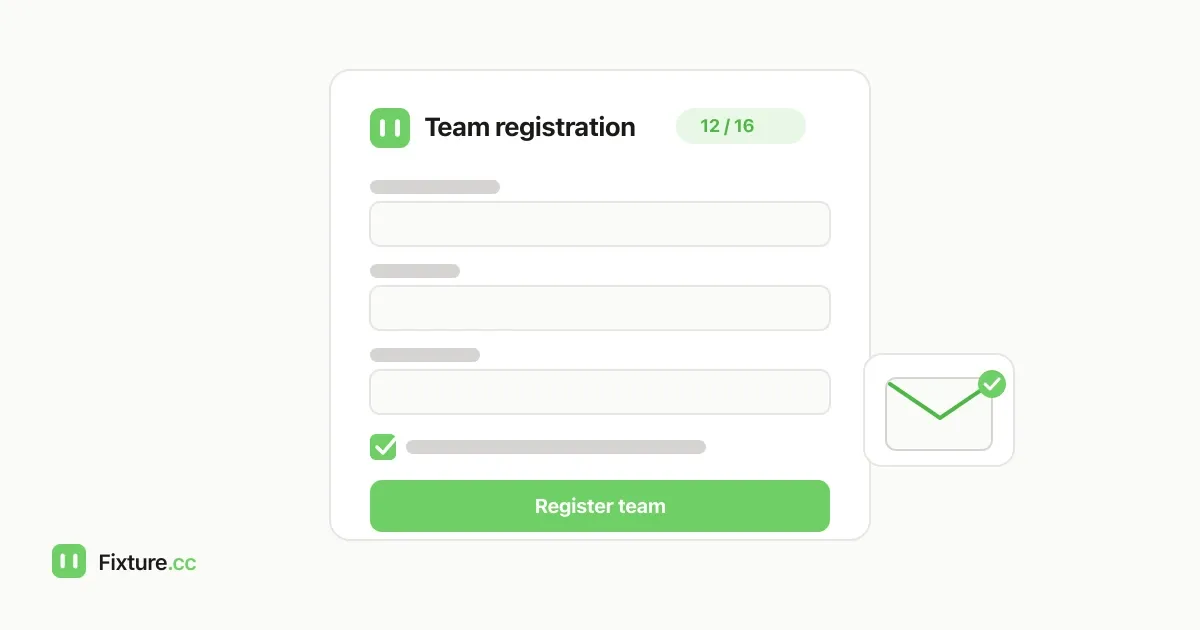
How to Open Online Registration for Your League or Tournament
Set up an online registration form for your league or tournament so teams sign up themselves, get automatic confirmation, and land straight in your fixtures.